Delete Document
Guide for using the Document Deletion object to permanently remove project forms from the system.
The Document Deletion object is used to permanently delete project forms from the system. Since documents deleted using this object are completely removed, it should only be used for forms that are inactive and no longer required.
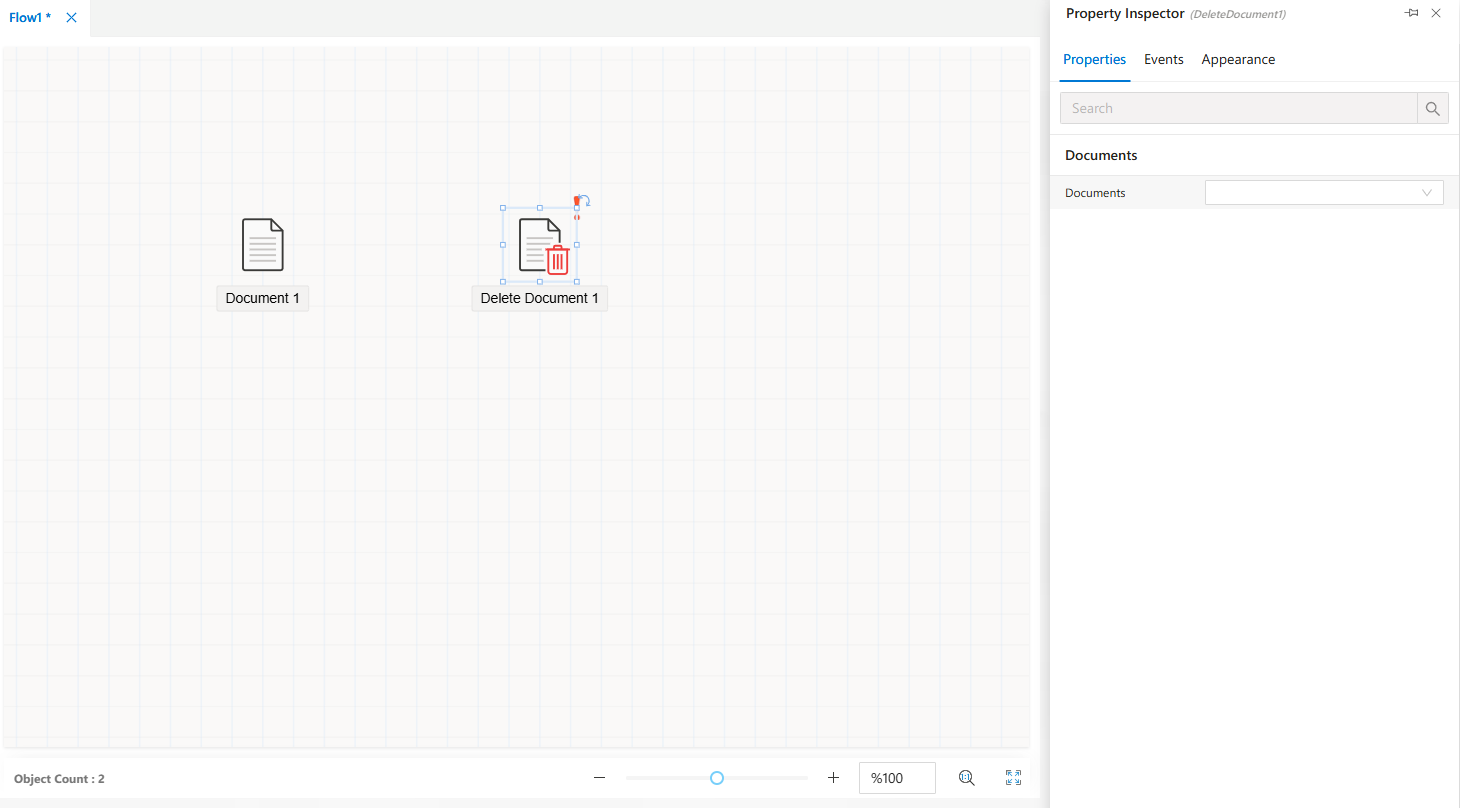
How to Use
Step 1 — Add the Object
- From the
Toolbox Panel, drag and drop theDocument Deletionobject onto theFlow Designarea.
Step 2 — Access Properties
- Once the object is placed on the design surface, select it.
- The
Properties Viewerpanel will display the object’s settings.
Properties Panel
When you click on the Document Deletion object, the Properties Viewer panel provides the following tabs:
Appearance→ Configure the visual representation of the object within the flow.Properties→ Set parameters related to the deletion process.Events→ Manage event-based triggers and custom logic.
Notes
- Deleted documents
cannot be recovered. - Use this object
onlyfor outdated or unused forms.
FAQs
- What events are available for the Document Deletion object?
- When should the Document Deletion object be used?
- What should I consider before using the Document Deletion object?
- How do I configure the Document Deletion object to remove documents?