Synchronizer
The Synchronizer component synchronizes fields, tables, details, and detailed table objects between forms linked to two separate document objects within a workflow.
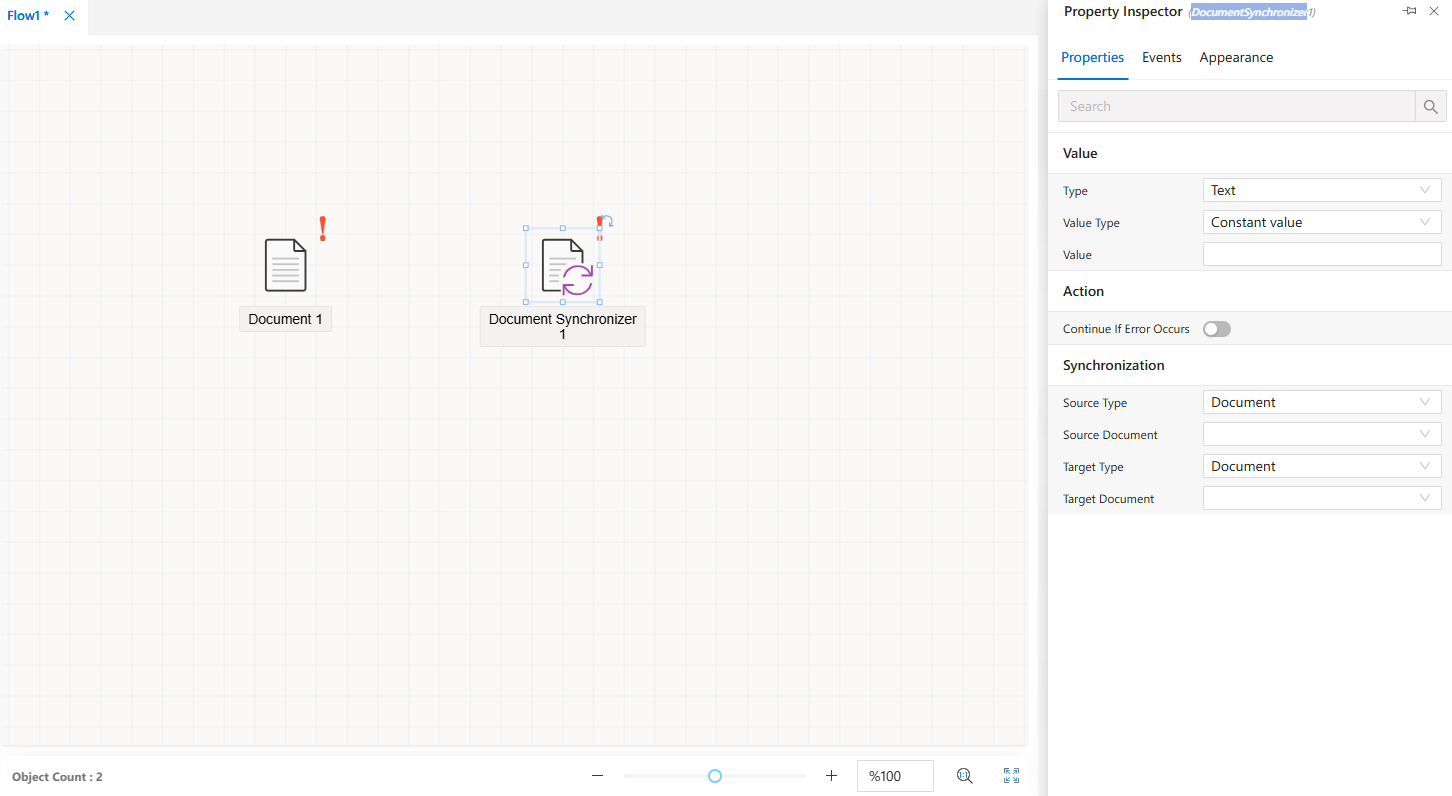
The Synchronizer component is used to keep data consistent between two document objects in a workflow.
It automatically synchronizes:
- Fields on the forms associated with the documents
- Table components within the forms
- Detail sections
- Detail table objects
This ensures that related forms remain up to date across multiple documents.
How to Use
- From the
Toolboxpanel, drag and drop theSynchronizercomponent onto the workflow canvas. - Once the component is placed, click on it to display its configuration options.
- The
Properties Viewerpanel will show the component’s available settings.
Component Configuration
When you select the Synchronizer component on the flow design screen, the Properties Viewer panel displays three main tabs:
Appearance→ Controls the visual representation of the component in the flow design.Properties→ Manages synchronization settings between the connected document objects.Events→ Defines events and actions triggered during synchronization.
FAQs
- What events are available for the Synchronizer object?
- What is the purpose of the Synchronizer object?
- How does the Synchronizer object handle errors?
- How can I configure the Synchronizer object?