Start Timer
Explains the usage and purpose of the Start Timer object in a flow to trigger a preconfigured Timer object.
Purpose of Start Timer
The Start Timer object is used in workflows to initiate a Timer component that is already configured on the form. This object allows developers to start countdown-based or time-based logic within the process without requiring manual intervention or scripting.
It acts as a bridge between the main flow and the timer configuration, ensuring that the timer's execution begins at a specific point in the process.
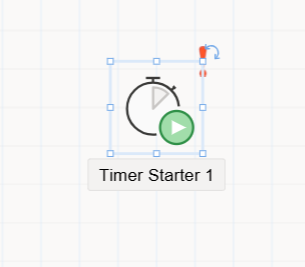
How to Use
-
Add to the Flow:
Drag theStart Timerobject from theToolboxpanel into the flow design area. -
Connect with Arrows:
Connect theStart Timerobject to preceding and following nodes using directional arrows to define the process sequence. -
Configure Properties:
When the object is selected, its configuration becomes available in theProperty Viewer, organized into the following tabs:AppearancePropertiesEvents
Appearance Tab
-
Object Name:
Internal name of the object. It is used to reference the object in flow code or logic. -
Caption:
Visible title of the object shown in the flow designer. -
Is Lock:
When enabled, prevents the object from being repositioned on the canvas during design. -
Size:
Width and height of the visual object in the designer.
Properties Tab
This tab does not include additional configuration for the Start Timer itself—its function is inherently simple: trigger the timer component defined elsewhere.
Events Tab
Like other flow objects, the Start Timer supports event bindings that allow developers to execute custom logic when the object is processed. Double-clicking an event opens the flow's code editor (FlowName.cs), where developers can define methods such as: