Variable
The Variable object is used to store a value during the process execution and allows reusing it in other parts of the flow.
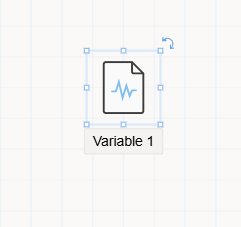
The Variable object in Synergy IDE is a flow element designed to temporarily hold a value. This value can be set dynamically during form interactions or workflow execution and then used at later points in the process logic.
- It allows storing and reusing data
without requiring any visual or directional connectionin the flow. - The object can be dragged and dropped onto the canvas but
does not need to be linkedto other flow elements. - Suitable for scenarios such as:
- Holding a calculated result
- Keeping a selected user, department, or form field value for later comparison or assignment
- Interacting with forms, assignments, or external services
Behavior in Flow
- The Variable object
does not initiate or continueflow execution. - It is used
purely for data storage, and other flow elements (e.g., Assignment, Comparison, Rule) canread from or write to it. - When selected on the canvas, its properties become visible in the
Properties Viewer Panelon the right side of the design screen.
Related Objects
The following flow components can interact with the Variable object:
Assignment: Sets the value of a variable.Comparison: Compares a variable's value against another object or constant.Rule: Evaluates a condition based on the variable’s value.
Usage Notes
- Variables support different data types such as text, number, boolean, date, etc.
- They do not produce flow paths or branches.
- Can be used for dynamic decision-making or user-specific logic without being visible in the end-user UI.