Fields
Guide for configuring Fields in the Document Synchronizer object to synchronize form data between documents.
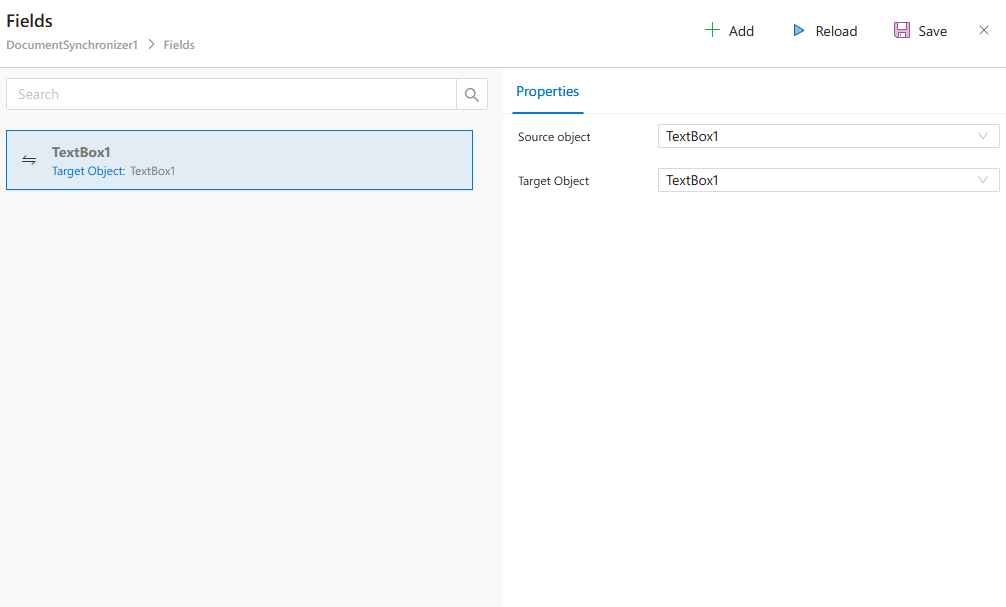
The Fields section in the Document Synchronizer object allows you to define the mapping between fields of the Source Document and the Target Document.
By setting up these mappings, you ensure that data from the source form is correctly synchronized and transferred to the appropriate fields in the target form.
Properties
Source Object
- Represents the field in the
Source Documentfrom which data will be synchronized. - A dropdown list provides all available fields in the selected
Source Document.
Target Object
- Represents the field in the
Target Documentwhere the synchronized data will be stored. - A dropdown list provides all available fields in the selected
Target Document.
How It Works
- Select the
Source Objectfield from theSource Document. - Select the
Target Objectfield from theTarget Document. - When synchronization runs, the system automatically copies the value from the source field to the target field.
- You can repeat this process to map multiple fields between documents.
Example Scenario
Suppose you have two forms:
Source Form→ ContainsTextBox1where users enter their ID number.Target Form→ Requires the same ID number inTextBox1.
By configuring the Fields section:
- Set
Source Object→TextBox1 - Set
Target Object→TextBox1
Whenever the synchronization process runs, the ID entered in the Source Form will automatically appear in the Target Form.
Notes
- You can add as many field mappings as needed by clicking the
Addbutton. - Always ensure the correct field types are matched (e.g., text-to-text, date-to-date).
- Mismatched field types may lead to synchronization issues.