New Item
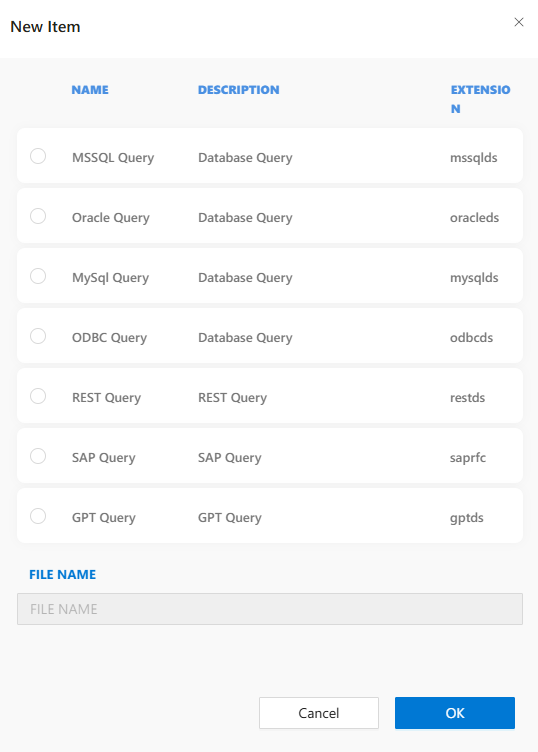
The New Item dialog in the DataSource folder provides options to define various types of data access queries. Each query type corresponds to a different data source or protocol, allowing flexible integration with internal or external systems.
Available Query Types:
-
MSSQL Query
Description: Database Query
Extension:.mssqlds -
Oracle Query
Description: Database Query
Extension:.oracleds -
MySQL Query
Description: Database Query
Extension:.mysqlqds -
ODBC Query
Description: Database Query
Extension:.odbcds -
REST Query
Description: REST Query
Extension:.restds -
SAP Query
Description: SAP Query
Extension:.saprfc -
GPT Query
Description: GPT Query
Extension:.gptds
Each option represents a template that is initialized with the selected query type’s settings and schema expectations.
Steps to Create a New DataSource Item:
- Right-click the
DataSourcefolder in Solution Explorer. - Select
New Itemfrom the context menu. - Choose the desired query type from the list.
- Enter a unique name for the file in the
FILE NAMEfield. - Click
OKto create the query file in the DataSource folder.