History Manager
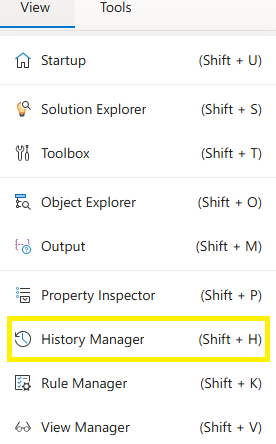
The History Manager panel is used to keep a record of modifications made within forms or flows in the IDE.
History Manager
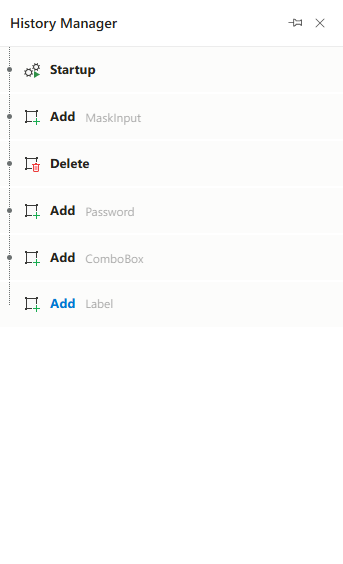
The History Manager panel helps track all operations performed in the IDE. When a component is added to a form or flow, repositioned, modified, or deleted, all of these actions are listed step-by-step in the History Manager panel.
As you navigate backward through the listed actions, the screen updates to reflect the state at the selected step. The final step represents the latest version of the form or flow. Any change can be undone by selecting the step just before that change. History Manager is session-based and is cleared once the project or interface is closed.
Features
- Pinned Panel Support: The panel can be pinned to remain open or set to auto-hide.
- Clear Display: Displays user-triggered or system actions in chronological order.
- No Items State: Shows an empty state if no History Manager is available.
- Auto-Update: Automatically updates based on user activity in the IDE.
Notes
- History Manager is session-based and will be cleared if the IDE is fully reloaded (unless saved elsewhere).
- When the panel is empty, an icon and message will be shown to indicate the lack of data.